If you've ever watched the game show The Floor and thought, "I wish we could play this at a party," good news – you absolutely can. This Floor-inspired party game brings the same rush of head-to-head category battles to your living room, and with a little prep, it runs beautifully for a group of friends or family.

What Is the Floor Game?
If you haven't streamed The Floor yet (seasons 1 and 2 are both available now), here's the quick version: contestants go one-on-one against a timer to identify images within a specific category. Winners claim a section of a physical grid – the "floor" – and the player who eventually controls the entire floor wins the game. It sounds intricate at first, but once you're set up, rounds move quickly and the energy in the room builds fast.
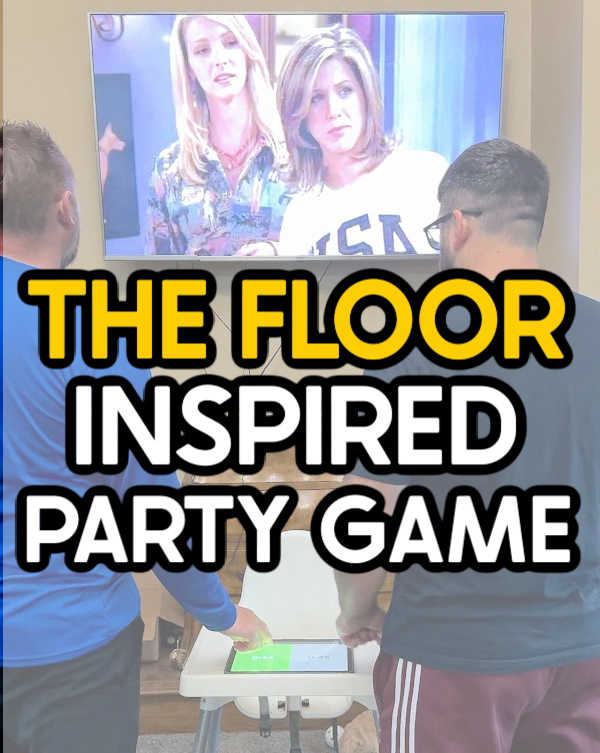
The at-home version works the same way. Two players face off, watching a slideshow of images related to their assigned category – things like cereal brands, fast food restaurants, US states, or Walmart finds. Both players race to shout out correct answers before their timer runs out. Win the battle, claim the floor tile. Keep winning, and you could end up owning the whole board.
What You Need to Play
Category Slideshows and Printouts
The backbone of this game is a set of category slideshows, each one paired with a printout sheet that represents that category's tile on the floor. You need one category per player. So if ten people are playing, you'll need ten category slideshows and ten corresponding printout sheets.
There are 13 free generic categories available to download – think US States, Walmart Finds, and similarly accessible topics that work for any crowd. If you want to expand the game, additional category packs are available for purchase, including 12 more generic options and 12 specialized categories covering topics like Friends, Marvel, Taylor Swift songs, Star Wars, Dog Breeds, and Musical Movies. Those specialty packs are perfect if your group has a shared obsession worth celebrating.
One important note: when you download the free files, you'll receive a PDF containing links to access each slideshow online – not the slideshow files themselves. You'll click through to view them via Google Slides.
Along with the slideshows, you'll also need a printed list of all the categories you're using, cut into individual slips and dropped into a bowl. That bowl becomes your random draw generator for deciding who plays whom and in what order.
A TV Plus a Phone, Tablet, or Computer
You need a screen large enough for everyone in the room to see clearly. Connect your phone, tablet, or computer to the TV – either wirelessly through screen mirroring (also called casting) or via an HDMI cable. Wireless mirroring is significantly easier during gameplay because you can switch slides without being tethered to the TV. If you're unsure how to mirror from your specific device, search "how to cast from [your phone model] to [your TV brand]" and you'll find step-by-step guidance.
High-speed WiFi matters here. Since the slideshows live online as Google Slides presentations, a slow or spotty connection will create lag between slides – and lag kills the momentum of the game. Make sure your internet is reliable before guests arrive.
The Google Slides App
Download the Google Slides app on whichever device you'll be using to run the slideshows. It's available on both Apple and Android platforms. Having the app installed means you can advance slides smoothly and keep the game moving without fumbling through a browser.
A Chess Timer App
This is the piece that makes the head-to-head format work. A chess timer switches between two players' countdowns with a single tap – exactly what you need when two people are racing against their own separate clocks. Download a chess timer app on a tablet if you can; the larger screen makes it much easier to tap quickly and accurately mid-round. A phone works too, but a tablet is noticeably better. Chess timer apps are free and available on both Apple and Android.
Post-It Notes
You'll use Post-It notes to mark player names on the floor tiles as the grid fills in. They're easy to reposition and won't damage your printout sheets, which is handy if a tile changes hands during the game.
Setting Up the Floor
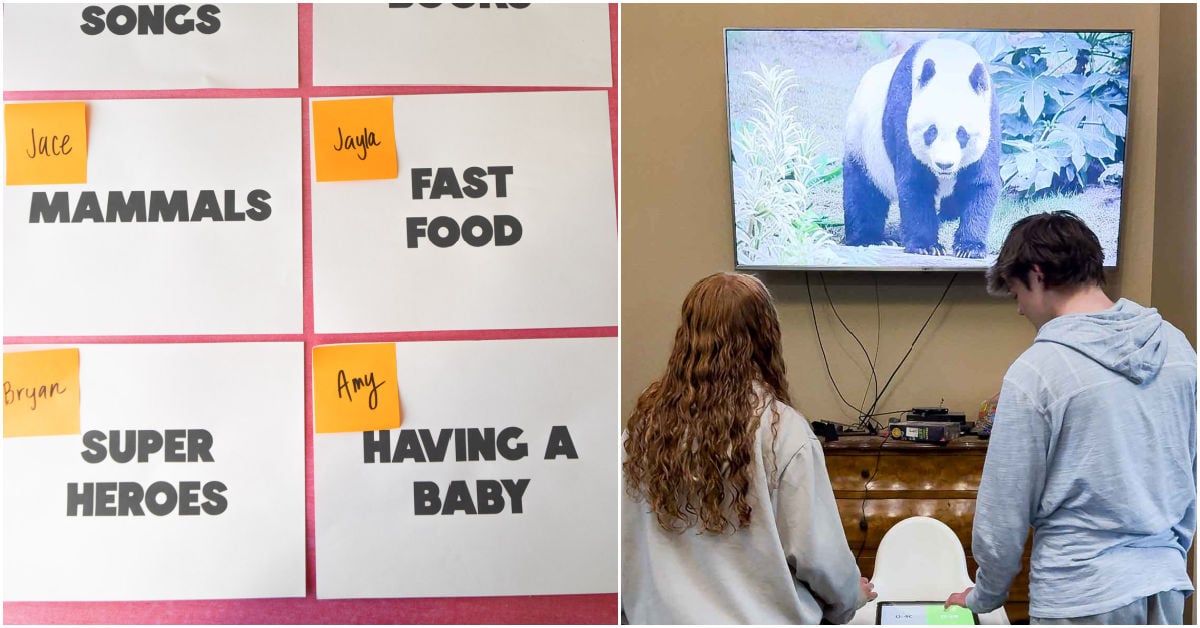
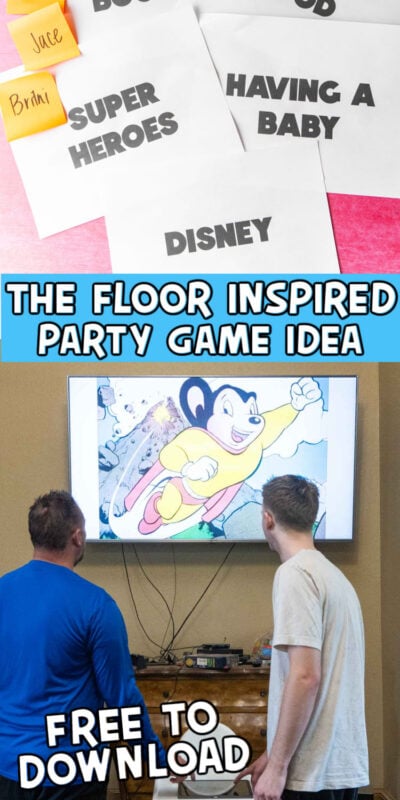
Lay your category printout sheets on a flat surface in a grid formation – this is your physical floor. Each sheet represents one category and starts belonging to the player assigned that category. As players win head-to-head battles, they place their name (on a Post-It) over the tiles they've conquered. The goal is to keep winning until your name covers every tile on the floor.
Use your bowl of category slips to draw randomly and decide who challenges whom. One player from each matchup will be defending their assigned category tile; the other is the challenger trying to take it. Both players watch the slideshow for the defender's category and race to identify as many images as possible before their individual timer expires. Whoever answers more correctly wins the tile.

Tips for a Smooth Game Night
- Test your screen mirroring before guests arrive. Every phone and TV combination handles casting slightly differently, and troubleshooting mid-party is no fun.
- Keep a stable WiFi connection. If your router is far from your game room, consider moving closer to it or using a WiFi extender.
- Use a tablet for the chess timer. The bigger tap target reduces fumbling when the competitive energy spikes.
- Choose categories wisely for your crowd. Mixing a few universal categories with one or two themed ones (like a Taylor Swift or Marvel pack) keeps the game interesting for people with different interests.
- Print everything before the party. Printout sheets, category slips, and any reference materials should all be ready to go so setup takes minutes, not half an hour.
Why This Game Works So Well for Groups
The head-to-head structure means there's always action happening, and because only two people are actively competing at any moment, the rest of the group watches and cheers – which actually makes it more fun, not less. There's no long waiting, no complicated scorekeeping, and the physical floor grid gives everyone a visual sense of how the game is progressing. Watching one player's name slowly take over the board creates a satisfying kind of drama that keeps everyone locked in until the very last tile is claimed.
With 36 categories available across the free and paid packs – ranging from crowd-pleasing universals to pop culture deep cuts – you can tailor the game to fit your group perfectly. That flexibility is what makes this one worth adding to your regular party game rotation.